← Proposed workflows

ROLE AUTOMATION STUDY · 13 of 20 companies in our first outreach sample

Invoice, payment & ledger processing

Turn incoming invoices and payment records into checked ledger entries, leaving the team with the exceptions that need judgement.

ILLUSTRATIVE PROPOSAL · NOT A MEASURED CLIENT RESULT

See the work happen on screen.

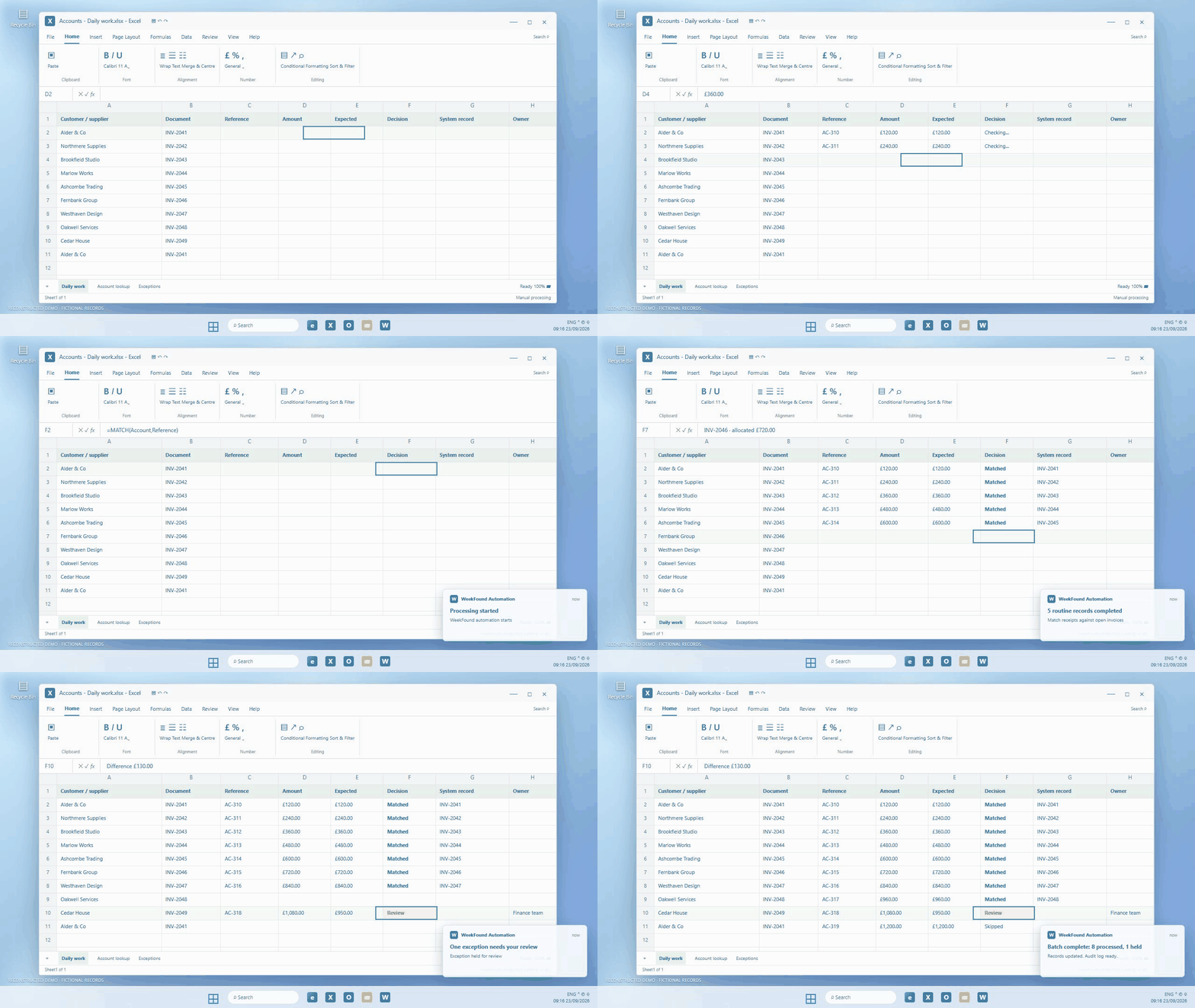
This short GIF reconstructs the manual task and the proposed automation using fictional records. It shows the ordinary items progressing and an exception held for a person. The time saving below is an illustrative target.

Invoice, payment & ledger processing: a reconstructed Windows desktop showing routine work processed and an exception held for reviewDownload this GIF ↓

Less rework. More room to move the business forward.

The proposed design would handle repeatable steps, check work before it moves on and give people more capacity for decisions that matter. These benefits would need testing with a real team.

01 / CAPACITY

More time for the work that matters

Routine steps could move forward without repeated manual handling, while people stay involved when judgement is needed. Any time saved would be measured in a pilot.

02 / QUALITY

Fewer avoidable errors

Checks on invoice totals, account references and duplicate documents would catch common posting and allocation mistakes before they reach the ledger.

03 / OPPORTUNITY

Time to improve the business and its profitability

The finance team could spend the time on cash flow, overdue accounts and better supplier terms—work that can strengthen profit, even though this example cannot put a figure on that upside.

BEFORE · MANUAL PROCESS

Every step waits for a person.

  1. Read documents and payment references
  2. Find the right customer or supplier
  3. Key amounts and allocate receipts
  4. Check entries and correct mistakes
PROPOSED WORKFLOW

Routine work progresses. Exceptions reach the team.

  1. One intake queue
  2. Extraction with evidence
  3. Rules for matching and posting
  4. A checked result

One connected process, from arrival to checked result.

  1. 01

    One intake queue

    Collect invoices from the shared inbox and payment records from an authorised feed or export. Preserve the original document and assign a unique reference so retries cannot create duplicate entries.
  2. 02

    Extraction with evidence

    Read invoice numbers, dates, amounts and account references. Check totals, required fields and duplicates against the accounting records; route uncertain documents to review.
  3. 03

    Rules for matching and posting

    Match receipts to open invoices using references, account identity and amount. Post only permitted, validated entries through the accounting integration; send partial payments, ambiguous matches and credit notes outside agreed rules to a person.
  4. 04

    A checked result

    Read back the posted entry, reconcile control totals and record the source, decision and ledger ID. Failed writes enter a retry queue and never appear as completed work.

Work inside the systems the team already uses.

Shared mailbox, document storage, accounting ledger and authorised payment data. A system such as Sage or Xero would need its available read and write interfaces checked during discovery.

The judgement stays with your people.

The team resolves ambiguous allocations, approves unusual adjustments and independently verifies changed supplier details. Payment release stays with authorised people; this workflow records and allocates payments.

Prove the saving before calling it a result.

  1. 01

    Baseline the real work

    Observe at least two representative working weeks, including routine cases and exceptions. Agree the scope, volumes, quality checks and staff minutes before building.
  2. 02

    Connect, then run alongside the team

    Confirm system access, build the intake, rules, exception queue and audit history. Compare proposed actions with human decisions before enabling writes or sending messages.
  3. 03

    Pilot a controlled slice

    Enable only agreed actions, with duplicate protection, alerts and a pause control. Keep a manual fallback and expand only when the quality checks pass.
  4. 04

    Measure the complete cost in time

    Compare handling minutes, duplicate entries, allocation accuracy and unresolved items against a manually checked sample. Count corrections and daily oversight in the time saved. Compare a representative post-pilot period with the same scope and workload; report the observed result, including review and correction time.

Could this help your business?

Get in touch and we’ll talk through what you’d like to improve, then explore whether a similar finance automation approach makes sense for you.

Get a free Time-Back Review →