01
Compare the source prices
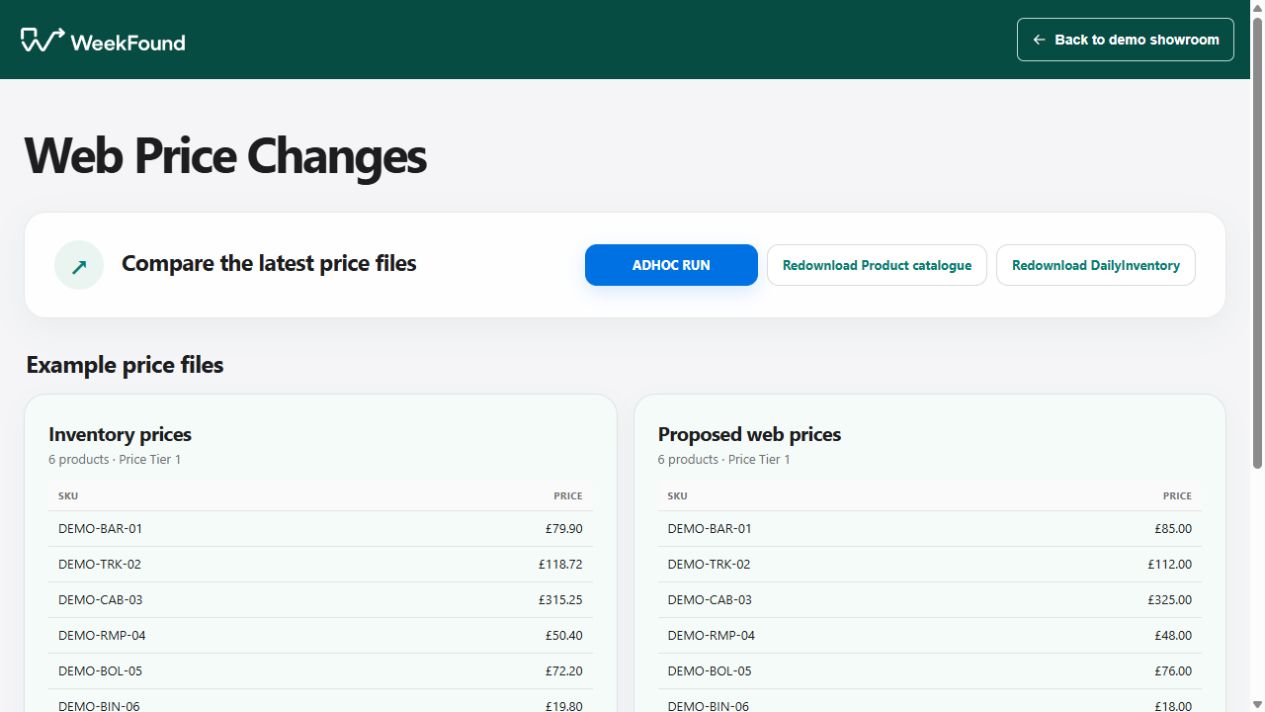
Open a prepared comparison and inspect the old amount alongside the proposed web price.

Pricing controls · Showroom demonstration
A price update can contain a mixture of changes: some expected, some questionable and some that should not go ahead. Comparing two files manually makes it easy to lose track of which rows were reviewed and what was actually approved.
Who this is for: Retailers and wholesalers managing product prices across inventory records and an online catalogue.
Price approval
This demonstration keeps the current and proposed prices together. A reviewer can reject one change, approve the remaining rows or decline a complete comparison, with the decisions still visible afterwards.
The fictional comparison contains a small set of inventory and proposed web prices. The reviewer rejects one product, then approves the remaining pending changes. The earlier rejection stays rejected; it is not reversed by the bulk action.
A second comparison can be rejected in full. The example shows the different outcomes in the run history, so the team can distinguish a partially approved update from a rejected one. None of these decisions changes a real website price.
From the repeated task to a reviewable result
01
Open a prepared comparison and inspect the old amount alongside the proposed web price.
02
Reject an individual change and see its status reflected in the remaining review counts.
03
Approve the remaining changes or reject the run. A bulk decision does not undo an earlier row decision.
04
Return to the run list and review the separate approval and rejection outcomes.
Practical answers
Compare the current source value with the proposed value and show which fields changed. A person can then inspect the relevant differences before approving them. A live workflow would also need agreed validation rules and a clear source of truth for each price.
Yes. The demo supports rejecting an individual pending row and approving the remaining changes. This is useful when most of an update is acceptable but one product needs more investigation. The rejected row remains separate from the approved set.
It should not, and the demonstrated flow preserves the rejected row. Bulk review affects the changes still awaiting review. That distinction prevents the convenience of a batch action from erasing a decision already made on a particular product.
Agree that for your business before connecting the workflow. It may be an inventory platform, pricing file or another maintained source. The demonstration compares example sources; it does not choose the authoritative record for your organisation.
No. The showroom records a fictional review decision only. A production publishing step would be separately designed, with appropriate permissions, validation and a check of the value that reached the destination. Do not treat an approved row as proof of a successful live update.
Yes. The example supports rejecting all remaining changes and retains the run outcome for review. Keeping that distinction helps the team explain what was considered and what was allowed to proceed. Production retention and reviewer identity would be defined during the project.
Keep the approved decision separate from the publishing result. A live design should identify which changes reached the website, expose failed rows and allow a controlled retry or manual correction. That publishing and recovery process is outside this local approval demo.
Your business and existing tools
Start by mapping where the current price comes from, who may approve a change and where the approved value must go. Our business automation approach explains that process review. The guide to connecting business systems covers connecting existing business systems, and services and pricing sets out the service structure.
WeekFound starts by looking at the repeated work, the time the team spends on it and the mistakes that need correcting. The aim is to give the existing team more capacity as the business grows.
The authorised reviewer decides which commercial changes may proceed. A production connection would need a separate, verifiable publishing result and a manual recovery route.
Measure time spent comparing price files, correcting unintended changes and confirming published values. Use test comparisons containing deliberately incorrect rows. The useful result is a checked update, not merely a faster approval click.
Start with one useful piece of work
Tell us how the task works today, where it gets stuck and what a correct result needs to look like. We can then assess the work, the source data and the review points before agreeing a suitable approach. Essential work should retain a usable manual fallback if an automation or source system changes.
Discuss this workflow